Showing posts with label Tablets. Show all posts

Thursday, February 23, 2012

OnLive Desktop Plus Brings Flash To The iPad For $4.99 Per Month

If you still haven’t gotten over the fact that your iPad doesn’t have Adobe Flash player, than OnLive Desktop Plus may soothe your pain. As you may have guessed, the new app is a premium version of OnLive Desktop, which brought Microsoft Office to the iPad earlier this year.
In addition to Office, the premium version offers Flash Player and a PDF-enabled web browser, but it comes at a price of $4.99 per month.
Like its free counterpart, the new app provides you with access to a PC in the cloud. When you open it up, you connect to a desktop running Windows 7 that’s hooked up to OnLive’s servers, and you can control it remotely, taking advantage of all of its applications.
The service has already been a huge hit for Microsoft Office users who have been taking advantage of the free Desktop Live app for a few months. But if you want a little more, the premium version may be well worth the $5 a month plan:
The free OnLive Desktop App, currently available on iPad—and coming soon to Android, PC, Mac, TVs and monitors—delivers no-compromise, media-rich, instant-response Windows applications including Microsoft Word, Excel and PowerPoint software, and as of today, Adobe Reader for PDFs, along with 2GB of cloud storage. OnLive Desktop Plus, available for $4.99/month at www.desktop.onlive.com, provides all OnLive Desktop Standard features plus OnLive’s gigabit-speed accelerated browsing experience with full Flash player capability. With OnLive Desktop Plus, the iPad not only becomes 100% Flash compatible, it becomes the world’s fastest mobile Flash player.
There is a slight problem with lag, according to MacRumors, so this is unlikely to provide you with seamless Flash gaming on your device. But it does handle Flash video relatively well. Of course, your experience will all depend on the speed of your Internet connection.
OnLive is planning to bring a “Pro” version of the app to the App Store soon, which will cost $9.99 a month and will allow users to access even more applications and upgrade their storage allowance from 2GB to 50GB.
Look out for OnLive Desktop Plus in the App Store soon.


Wednesday, February 22, 2012

Acer Iconia Tab A100 And A500 To Get Android 4.0 ICS Update In April

Acer recently rolled out the android 4.0 Ice Cream Sandwich update for their Iconia Tab A200tablet, and now we have some details on when ICS will be hitting some other Acer tablets.

Acer has announced on Twitter that the Iconia Tab A500 and Iconia Tab A100 will be getting the Android 4.0 Ice Cream Sandwich update in the middle of April.


To all Acer Iconia Tab A500 and A100 users, please expect an Ice Cream Sandwich upgrade in mid-April! Thank you for your patience.

There is no specific date in April on when the android 4.0 ICS update will be released for the Acer Iconia Tab A500 and Iconia Tab A100, as soon as we get some more information we will let you guys know.


Monday, February 20, 2012

Apple’s iPad Ban in China


A lawyer representing Proview International on Monday announced that the Intermediate People’s Court in Huizhou, a city in southern China, ruled on Friday that distributors should stop selling iPads in China, Associated Press reports. Proview has claimed ownership of the “iPad” name in China and it says Apple is violating its trademark. “We bought Proview’s worldwide rights to the iPad trademark in 10 different countries several years ago. Proview refuses to honor their agreement with Apple in China and a Hong Kong court has sided with Apple in this matter,” Apple spokeswoman Carolyn Wu said earlier in response to the lawsuits. Proview is looking to prevent Apple from importing or exporting the popular tablet in China and may sue the Cupertino-based company for as much as $2 billion in the United States. At least 45 iPads had been pulled from store shelves in various Chinese cities last week, however Apple’s tablets were still being sold at numerous retail locations across the country.

via-BGR

Datawind removed from Indian govt’s Aakash project

Communications Minister Kapil Sibal Monday said an upgraded version of the tablet PC “Aakash”, supplied primarily to students at less than Rs.2,450 ($49) a piece, would not be hiked. The minister, who also holds the education portfolio, said two state-owned technology companies had been roped in to manufacture the upgraded version. He admitted there were problems with Datawind, the original developer of the tablet.
“There have been some problem with Datawind I must confess. Therefore, I have got into the act. IT Ministry has got C-DAC (Centre for Development of Advanced Computing) and ITI (Indian Telephone Industries) into the act and I am going to ensure that this product is fully indigenous and truly an Indian product,” said Sibal.
Datawind has come under criticism for missing delivery deadlines and its failure to provide a proper customer service platform. The government was also unhappy after various faults were detected in the tablet and officials had indicated that the government may not extend the contract for manufacture of more tablets to Datawind.
“There have been some hiccups in the way. Remember when you do a project of this nature and when your dream is as big as this, things are never that smooth,” said Sibal.
The minister also welcomed competition from private players for producing ultra low-cost tablets.
“I think its a great thing if there is competition. Ultimately my objective is to get a quality product in the hands of the children.”


Friday, February 17, 2012

Acer Iconia A500 and A100 to be updated to ICS in April

Acer’s 10-inch Iconia A500 always played second fiddle to the more popular Asus EeePad Transformer, but it was still a very popular device. The company has made an Ice Cream Sandwich release schedule official, citing April as a time period. Similarly, the smaller-sized 7-inch A100 will receive an ICS update around the same time.
Both versions will come with the Acer Ring launcher, which adds quick-access shortcuts to the homescreen, much like in the Honeycomb browser. There will be an improved weather widget, and quick app shortcuts from the lock screen.
As with any Ice Cream Sandwich update, there are going to be a number of usability and performance improvements, along with upgrades to all the core Google apps like Gmail, Gallery, Browser and more. The camera app is also going to be improved to support taking photos while recording video (pretty cool!).
Earlier this year, we took a look at the Acer Iconia A501, a 3G-enabled version of the 10-inch tablet from Rogers. No word on whether that version will be upgraded, but we’ll let you know when the updates starts rolling out.


Acer Iconia Tab A510 Passes Through The FCC


The Acer Iconia Tab A510 will go on sale in Europe next month, and it looks like the tablet is getting closer to its US release as the device has just passed through the FCC.

As a reminder the Acer Iconia Tab A510 features a 10.1 inch multi-touch touchscreen display with a resolution of 1280 x 800 pixels, and the device is powered by a quad core 1.3GHz NVIDIA Tegra 3 processor.


The Acer Iconia Tab A510 also features 1GB of RAM and a choice of 16GB, 32GB or 64GB of built in storage, it will also feature a microSD card slot, a mini-HDMI port and a mini-USB port.

There will be two different models available, the Acer Iconia Tab A510, which is a Wi-Fi only device and the Acer Iconia Tab A511, which comes with Wi-Fi and 3G

As soon as we get some information on the US launch date, along with some pricing on the Iconia Tab A510 we will let you guys know


Wednesday, February 15, 2012

Acer Announces Android 4.0 Release Timing For Iconia Tab A500

Acer’s New Zealand division announced today via their Facebook profile that the Android 4.0 update — currently rolling out to A200 models — will be coming in April to the A500 as well.
Great news, everyone! We’ve just got confirmation from HQ that the Iconia Tab A500 will be getting Ice Cream Sandwich in April. No exact date yet, but we’ll let you know when we have it. What are you looking forward to most in ICS?
Seeing how the announcement didn’t exactly come from Acer in the US (or even the UK for that matter), we can’t be too sure if the planned date will apply for us here in the states. Let’s hope this Ice Cream Sandwich announcement was a general release date for all regions.


Tuesday, February 14, 2012

How to update, restart and reset your HTC Rhyme


We show you how to keep your phone updated and how to restart and reset the device if you encounter problems
This guide will show you how to update your phone's firmware and how to restart and reset the phone, both with the interface menus and with the phone's hardware keys - in the event that the screen stops responding.
How to update the handsetIt's a good idea to make sure your HTC Rhyme is as up-to-date as possible by checking for new software updates regularly. This will make your phone more secure and can fix bugs and add new features over time.
  1. From the homescreen, press the phone's ‘Menu' button.
  2. Tap ‘Settings'.
  3. Tap ‘Software updates'.
  4. Tap ‘Check new'.
  5. If there's a new update the phone will prompt you to install it. Follow the on-screen instructions - eventually you'll be prompted to tap ‘Install now'. You'll then be asked to confirm this step by tapping ‘OK'.
  6. When the update is complete the phone will restart automatically.
How to restart an unresponsive handsetIf the phone becomes unresponsive you can restart it without using the touchscreen interface.
  1. Press and hold the power button for 10 seconds then release. The phone will switch off.
  2. Press the power button to turn the phone back on. Hopefully this should fix an unresponsive freeze-up.
How to perform a factory resetIf the phone has a serious problem you can try restoring it to factory default settings by performing a factory reset, also known as a hard reset.
Note, however, you should be absolutely sure you want to go ahead with one because it will wipe all your stored data permanently.
If possible you should back up any important data before going any further.
  1. From the homescreen, press the ‘Menu' key.
  2. Tap ‘Settings'.
  3. Tap ‘SD & phone storage'.
  4. Tap ‘Factory data reset'.
  5. Tap ‘Reset phone'.
  6. Tap ‘Erase everything' to confirm.
  7. The phone will take a few moments to perform the reset and then restart automatically.
How to perform a factory reset on an unresponsive handsetIf the phone is unresponsive you can perform a factory reset using the handset's physical controls
  1. Press and hold the Volume Down button and briefly press the Power button.
  2. A screen with a picture of three Androids should appear, when it does release the Volume Down button.
  3. Use the Volume Down button to cycle down the menu which appears and highlight ‘Factory reset'.
  4. Press the Power button to select ‘Factory reset'.
  5. The phone should now go through the reset process and will restart automatically.

Acer Iconia Tab A510 Coming To Europe In March


The last thing we heard about the new Acer Iconia Tab A510 tablet was that it would be available in Europe some time in April, but now it would appear that the device may launch in Europe next month.

There will apparently be a WiFi only version of the Iconia Tab available in France next month, with the rest of Europe shortly after and the device is reported to retail for around 500 Euros.


As a reminder, the Acer Iconia Tab A510 will feature a a 10.1 inch multi-touch touchscreen display with a resolution of 1280 x 800 pixels, and the device is powered by a quad core 1.3GHz NVIDIA Tegra 3 processor.

Other specifications on the Iconia Tab A510 include 1GB of RAM and a choice of 16GB, 32GB or 64GB of built in storage, it will also feature a microSD card slot, a mini-HDMI port and a mini-USB port.

Ad soon as we get an exact launch date for the UK and the rest our Europe we will let you guys know.


Monday, February 13, 2012

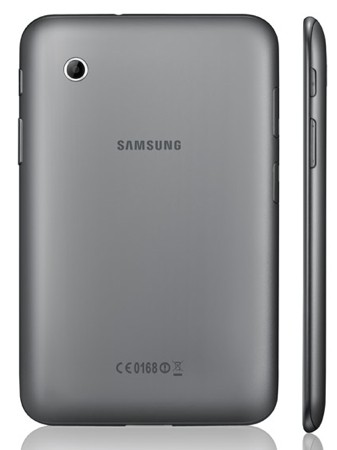
Samsung adds 7-inch Galaxy Tab 2 to tablet lineup

The newest member of the Galaxy Tab family has been unveiled, a 7-inch slate that looks to be touted as the followup to Samsung’s first Android tablet. The Samsung Galaxy Tab 2, which carries many of the same specs as the Galaxy Tab 7.0 Plus, will ship with a 1GHz dual-core processor, 1GB of RAM, and HSPA+ connectivity. The tablet features dual cameras of the 3MP and VGA varieties for the rear and front, respectively. Oh, and it will ship with Ice Cream Sandwich.

We can expect to see the Galaxy Tab 2 on show at Mobile World congress, even if there will be no press conference to announce this or any other new device from Samsung. The new slate will first be available in Europe. Pricing and other details have yet to be released.

Wednesday, February 8, 2012

Lenovo ThinkPad Tablet getting ICS in May

In an official blog post Lenovo has stated that its ThinkPad tablet will receive the long awaited Android 4.0, Ice Cream Sandwich update sometime in May. Currently the tablet is stuck on Android 3.2 Honeycomb. According to the blog-post the update will come in the form of an OTA. There are some interesting things we noted about the blog post.  Notably Lenovo is not talking about the main revamped Android UI introduced in ICS, but rather it is talking about improved browser performance, voice input and Face unlock, with the latter being slightly buggy. Unfortunately for Lenovo ,Google only yesterday announced a version of Chrome for Android ICS.
This pretty much confirms our apprehensions about customizations on top of the stock ICS UI which, in it current form is very fluid. Lenovo will in all likelihood customize the UI according to its own tastes, which is unfortunate, though pretty much the industry norm. Ever since Android has exploded on the market, OEMs have sought to differentiate the software experience on their devices via customized Android skins. While some of these skins indeed do add some value to the product more often than not, the skin slow down the core user experience and also delay Android updates as once Google pushes out an updates to the OEM, the OEM has to further implement its software changes to the OS.

Monday, February 6, 2012

CyanogenMod 7 Ported To Nook Tablet


We have already seen CyanogenMod running on a number of different devices, the latest device to get a port of CynogenMod is the Nook tablet with CyanogenMod 7.

The video below shows CyanogenMod 7 running on the Nook Tablet, and when the release is finished you will either be able to instal CyanogenMod 7 with the devices internal storage or from a bootable SD card.

With the SD card method you will be able to boot directly from the card without making any changes to the Nook Software, you can find out full details over at the XDA Developers.

Sunday, February 5, 2012

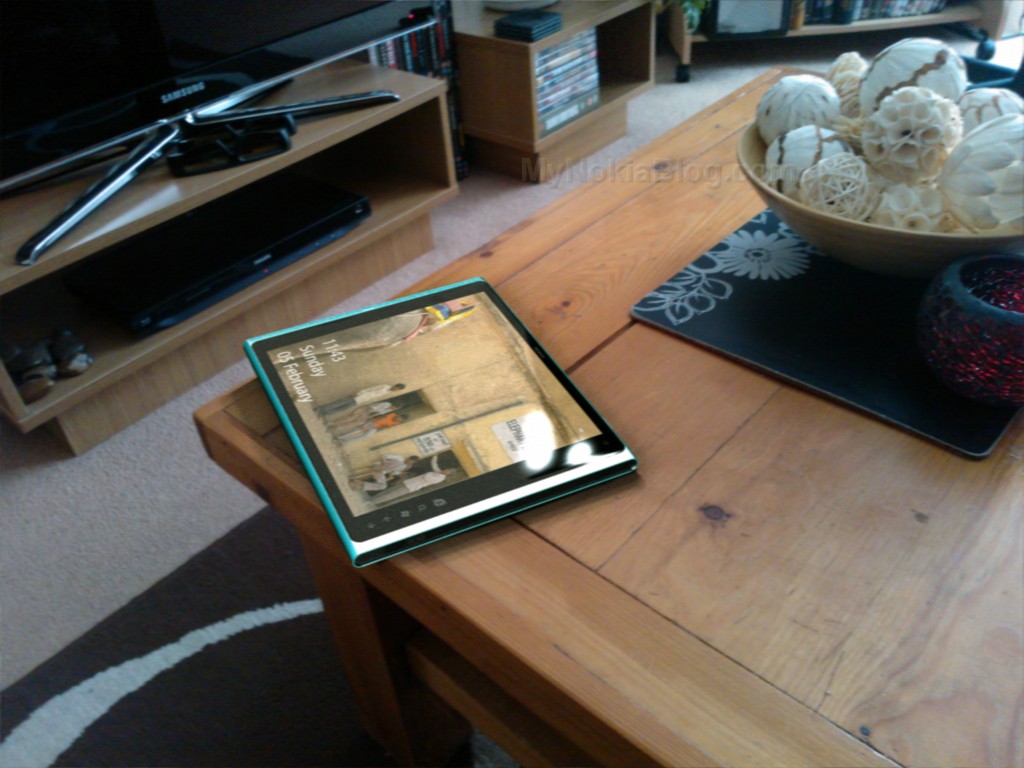
Nokia Lumia ‘Coffee’ Tab Windows 8 concept

My Dream Nokia  is another Nokia tablet design. This one as a few of the others has the N9/Lumia style design but this one reminding me of the N8 too (perhaps the black ends on the blue edges?). This design is by Tristan who wanted to have a bit of fun speculating on what the tablet might look like. Check it out with those Nokia Purity in-earphones. The scattered coffee beans are a nice touch  .
The camera isn’t in the middle but in the top left corner (so not impeded I guess when held in landscape with two hands). I’m not sure if those buttons are hardware or appear with the Windows 8 swipe. There’s even a nice picture below where its set in natural surroundings.
  • Lumia coffee tab
  • 1.4GHz cpu
  • 512Mb ram
  • 16/32/64Gb storage
  • 9.7 AMOLED clearblack display (1280×800)
  • 8Mp Rear camera, 2Mp front facing camera
  • Windows 8 tablet edition
  • Wifi/3G connectivity

About “My Dream Nokia”

I'm sure you've dreamt up your PERFECT Nokia device/UI. What it would look like, what it would feel like, what features it would have. Why don't you share it with the world? Or at least with other Nokia fans  .
It could be your own photoshopped or rendered work (seriously, you dont need mega skills in either, basic paint job is often enough to convey a concept) of your dream product.


Spark Linux tablet specs updated, going up for pre-order next week

We already got a brief introduction to the Spark Linux-based tablet, but details were a little sparse. Since then, a few more key bits of info have been added to its Q&A page, which might help sway your purchasing decision. That KDE Plasma Active UI we knew it'd be sporting will stare out at you via a modest 800 x 480 screen, and there's a 1.3 megapixel snapper tucked in alongside for video calling. The 1GHz / 512 MB internals we initially reported remain unchanged and the two USB ports and 3.5mm audio jack we saw in the pre-release picture above also get the official seal. There's talk of GPS making it into the next iteration, but for now you'll have to find your own way. The main news, however, is that pre-orders are pegged for next week, and shipping set for May. The initial focus is on Europe, but plans for it to arrive in US retailers are apparently underway. If that's suitably tickled your fancy, head on over the break and tap the source for more info.


Saturday, February 4, 2012

Data Of Previous Motorola Xoom Owners Found On Refurbished Units


Motorola Inc has announced that it mistakenly sold some refurbished Xoom Wi-Fi tablets with the data of previous owners not completely wiped out.


Around 6,000 refurbished Xoom tablets were sold by online retailers in a given period and Motorola received reports that there were around 100 cases were the data of the former owner was still on the device.

Motorola said it will work with the affected new Motorola Xoom owners to have the device fully wiped out of the data from the previous owner.

The company also assured those who bought their refurbished units that they were properly checked and 100% in full working condition. They also pledged to look into the issue to ensure the security of Xoom owners and to avoid a similar incident from happening again.

Friday, February 3, 2012

Sony Chief Executive Reveals Fast-Forward Plans

Over the past few years Sony has become a bloated machine riddled with bureaucracy. Its nimble competitors have continually trounced it, which has seen it reporting a loss for the last four years.  The Wall Street Journal has provided some perspective on Sony’s internal processes. In a report, WSJ quotes Kunimasa Suzuki who reveals that before Sony’s incoming CEO Kaz Hirai set-up an Integrated UX group, four different divisions in the company were developing an iPad killer. According to the report, it was Hirai who took charge of the situation and eventually the UX group took control and unified the project, which eventually resulted in the Sony Tablet S and Sony Tablet P. In spite of the both the new tablets being rock solid Android devices, the devices have not managed to make a dent on iPad sales.

Desktop Apps Would Be Bad News for Windows 8 Tablets

At Microsoft's Build conference, Michael Angiulo, corporate vice president of Windows Planning, Hardware and PC Ecosystem, displays a prototype Windows 8 tablet. Photo: Microsoft
Windows 8 represents a huge departure for Microsoft.
First, the platform is slated to run on both x86 processors for PCs, and on ARM chips for tablets. Second, it’s a single OS platform with two distinctly different user interfaces. You’ll be able to divide your time between the touch-optimized Metro, which borrows its look, feel and navigation from the Windows Phone OS, and a traditional Windows 7-like desktop experience.
On desktop PCs, this dual-interface approach shouldn’t be a problem. Metro doesn’t demand many resources. It should run on PCs just fine.
But there’s still a nagging question: How will legacy desktop applications run on ARM-based tablets, if they run on ARM at all? Desktop apps can be resource hogs, and ARM-based tablets may not have the horsepower to run these programs quickly and elegantly. Not only could application performance suffer, but desktop apps could also suck battery capacities dry.
Well, a bit of clarity is maybe, possibly emerging. A Thursday report says Microsoft might allow a limited number of Windows 8 desktop apps to run on ARM-based tablets.
Microsoft is considering “a restricted desktop for Windows 8 ARM,” sources at The Verge say. Applications would have to earn special certification, and would likely be limited to Internet Explorer and Microsoft Office. This jibes with reports that Microsoft has been working on a lighter-weight version of Office for tablets.
We asked Microsoft to clarify, and received a “no comment.” However, past statements from Windows lead Steven Sinofsky suggest ARM tablets won’t support the desktop component of Windows 8.
“We’ve been very clear since the very first CES demos and forward that the ARM product won’t run any X86 applications,” Sinofsky said to investors at a financial analyst meeting in September. “We’ve done a bunch of work to enable a great experience there.”
So how do developers feel? Alexandre Brisebois, a senior .Net developer at RunAtServer, thinks it would be best for Microsoft to offer the same Metro and desktop interfaces everywhere, on both x86 and ARM devices. Conversely, Darren Baker, the business development director at Sogetti Global (a company that makes custom Windows products for businesses), says offering a desktop interface of any kind could be problematic for new tablet users.
“People would buy an ARM tablet, and think they have this copy of MS office that’s going to run there, but it won’t,” Baker says.
Nonetheless, the Windows 8 dual user interface scheme does offer Microsoft and hardware companies a chance to rethink the tablet space as it exists today. This could lead to a tablet that’s both interesting and well-integrated with other Windows products.
“You’re actually going to see tablets that are focused on a specific kinds of tasks: video acceleration for media, or you have legacy app compatibility for desktop users,” Baker says. “It’s not really about the tablet itself. It’s about what you can enable with the tablet.”
Baker used a theoretical United Airlines app as an example scenario for different use cases:
“If they develop an app for end users, it’s going to be ‘I need to use this to get information quickly, then move on with my life.’ They will develop an app for the Metro UI. It’ll launch, get you flight details, and then you can go on to what you want to do next. If an app’s geared toward someone who’s sitting at a desk, they may not need the Metro UI at all, just the desktop interface. Then they could just have a Metro tile that gives you Metro information as needed.”
With the beta of Windows 8 coming out later this month, Microsoft’s tablet plans should soon be revealed. But for now, only one things’s for sure: Regardless of whether the desktop U.I. will appear on ARM tablets, Windows 8 tablets will offer a dramatically different alternative to Apple and Android tablets.

Thursday, February 2, 2012

Sprint announces ZTE Optik tablet, available February 5th for $99.99 on contract

Sprint on Thursday announced the ZTE Optik Honeycomb tablet. The 7-inch device will be available February 5th for $99.99 with a new two-year agreement, as previously reported. ”ZTE Optik is ZTE’s first tablet in North America and makes the tablet experience available to a new segment of consumers,” said Lixin Cheng, CEO and president of ZTE USA. “Paired with Sprint’s cutting-edge network, ZTE Optik provides an exceptional user experience to consumers who demand affordability, flexibility and mobility in one package.” The Optik features a 1.2GHz dual-core Snapdragon processor with 16GB of internal storage and 1GB of RAM. The device also contains a microSD slot, a 4,000 mAh battery, a front facing 2-megapixel camera and a rear 5-megapixel camera. The tablet will be available for $349.99 off contract and comes pre-loaded with Sprint Zone, Sprint TV, Sprint Music Plus, Sprint Navigation, Sprint Football Live and NASCAR Sprint Cup MobileSM. Read on for Sprint’s press release. 

Wednesday, February 1, 2012

U.S. Cellular unveils first LTE devices, the Samsung Galaxy Tab 10.1 and Galaxy S Aviator

U.S. Cellular on Wednesday unveiled the company’s first two 4G LTE devices, the Samsung Galaxy Tab 10.1 tablet and Galaxy S Aviator 4G smartphone. The carrier plans to launch its 4G LTE network next month, and it will cover 25% of the company’s current subscriber base. “With 4G LTE speeds, you can quickly get what you want when you need it,” said president and CEO of U.S. Cellular Mary N. Dillon. “This 4G LTE network builds upon our industry-leading network satisfaction and is the only one that comes with a valuable rewards program and other unique benefits like Overage Protection and Battery Swap that make our customers the happiest in wireless.” The Galaxy S Aviator smartphone features a 4.3-inch Super AMOLED Plus display with an 8-megapixel rear camera, a front-facing camera and an HDMI port. The handset runs Android 2.3.6 Gingerbread and will be available in April. While the Galaxy Tab 10.1 is slated to be released in March and will feature the same specs as previous models. Read on for U.S. Cellular’s press release.
U.S. CELLULAR ANNOUNCES LAUNCH OF 4G LTE NETWORK NEXT MONTH ALONG WITH UPCOMING DEVICES
Brings up to 10 times faster download speeds and better web browsing experience
CHICAGO (Feb. 1, 2012) – U.S. Cellular, in conjunction with its partner, King Street Wireless, is launching a 4G LTE network next month that will enhance the wireless experience with countless entertainment possibilities and help customers simplify and organize their lives. The 4G LTE network will cover 25 percent of U.S. Cellular’s customers and will coincide with the launch of the Android-powered Samsung Galaxy Tab™ 10.1 4G LTE mobile tablet followed shortly by the Samsung Galaxy S® Aviator™ 4G LTE smartphone.
4G LTE speeds allow customers to begin watching a movie in seconds and enjoy smoother video streaming with little to no buffering, and video chatting with family or business colleagues is seamless.
With the Samsung Galaxy S® Aviator™, customers have the ability to talk and access the Internet at the same time. They can talk to their family about dinner plans while downloading an app to find nearby restaurants and simultaneously check out reviews online.
The March rollout of 4G LTE includes select cities in Iowa, Wisconsin, Maine, North Carolina, Texas and Oklahoma, including some of U.S. Cellular’s leading markets such as Milwaukee, Madison and Racine, Wis.; Des Moines, Cedar Rapids and Davenport, Iowa; Portland and Bangor, Maine; and Greenville, N.C. U.S. Cellular is the first wireless carrier to offer 4G LTE in several of these markets. The next wave of market launches will be announced later this month.
“With 4G LTE speeds, you can quickly get what you want when you need it,” said Mary N. Dillon, president and CEO of U.S. Cellular. “This 4G LTE network builds upon our industry-leading network satisfaction and is the only one that comes with a valuable rewards program and other unique benefits like Overage Protection and Battery Swap that make our customers the happiest in wireless.”
The Samsung Galaxy Tab™ 10.1 is powered by Android 3.2 (Honeycomb) and has a 10.1-inch WXGA TFT touchscreen. It features superior multi-tasking capabilities, a video watching experience similar to TV and smooth graphics and responsive controls for faster gaming. Apps are downloaded faster on the sleek Samsung Galaxy S® Aviator™ smartphone that comes with Android 2.3.6 (Gingerbread). It has a 4.3-inch WVGA s-AMOLED plus touchscreen, 8 megapixel rear camera and front-facing camera for easy video chatting. Both devices will provide download and browser speeds that are up to 10 times faster than 3G and be similar to a cable Internet connection.
The 4G LTE network builds on the 3G data services that U.S. Cellular customers already enjoy on the carrier’s high-quality nationwide network. U.S. Cellular has the highest call quality and network satisfaction of any national carrier. For more information about the 4G LTE experience, visit uscellular.com/4G.

Monday, January 30, 2012

Motorola Xoom 2 Media Edition

Many, including Motorola, followed the iPad's about-10-inch route with the launch of their first tablet, but there's a lot to be said for a more compact format as seen here with the 8.2-inch Motorola Xoom 2 Media Edition.
But with challengers in this more portable Android tablet war, does the Motorola Xoom 2 Media Edition offer anything that the likes of Samsung haven't? And could it, by some bizarre twist of fate, be better overall than its bigger 10.1-inch brother?

Design

The Motorola Xoom 2 Media Edition follows the same design lines as the larger Xoom 2 model, most easily identified by the clipped corners. This gives the Xoom 2 ME a more aggressive look than the likes of the iPad or the Samsung Galaxy Tab range. It's sharp, angular and interesting.
There is a hint of the rugged about it too, although this isn't a rugged tablet, apart from the SplashGuard coating that will save it from little accidents. Around the back the six Torx screws hold on the metal back plate with the edges offering a tactile, softer finish. It might look sharp and angular, but it's actually grippy and comfortable to hold.
At 388g it’s easily light enough to hold one-handed, but you don't get much space around the screen to grip. Motorola have thankfully dealt with this problem, so it can detect a thumb on the screen and ignore it – without it stopping you from performing other touch actions.
In terms of controls, like the other Xooms, the buttons are on the rear. The volume and standby buttons are all adjacent to each other in a slightly recessed panel which makes finding them tricky. It looks tidy, but in practical terms we couldn't change the volume without looking. Even after a month of use, it's an arrangement we haven't got used to.
The placement of the connections does work for us however. The headphone socket sits next to the IR port on one end, the Micro-USB and micro HDMI sit on the other, alongside a flap which opens to reveal… nothing. We imagine that this will offer a SIM card slot on some models. There is no option for microSD expansion, unfortunately.

The hardware

One of the things we like about the Xoom 2 ME is that it matches the specs of the 10.1-inch Xoom 2. It has the same 1.2GHz TI OMAP 4 processor, you get the same 1GB RAM, you get the same 16GB of internal storage. It even has the same resolution display.
At 8.2-inches the 1280 x 800 pixel resolution display means you get an impressive 184ppi. That might not sound like much in smartphone terms, but it is also an IPS display, so offers nice sharp details and good colours, with wide viewing angles. The smaller size and tighter pixel pitch means that everything looks good, from the best Honeycomb app, to streaming video and everything in-between.
If we're being really picky, there is a small amount of bleed at the edges, which you might notice when watching video in the dark, but it's nothing to get upset about.
You get all the normal wireless connections you expect, but we found a familiar oddity with Wi-Fi where it would occasionally fail to connect to our home network, needing a little nudge to get going. Bluetooth, GPS and all the sensors are here, including a barometer, something that might see more use in the future than it does now.
The overall package is put together well. The Motorola Xoom 2 Media Edition feels like a quality tablet and despite the lightweight, it doesn't bend, flex or creak and it's survived the odd drop on to the bedroom floor too.

What is a Media Edition?

That's an interesting question. It does make the name more of a mouthful, although we guess that this tablet will colloquially be known as Xoom 2 "the small one". Its media credentials don’t bring with it any better handling of "media" over any other Xoom, in fact it's the same experience as the regular Xoom 2. Motorola has said it was down to the fact that it's more portable, for media on the move.
Whatever the reason, as we've already established, video playback looks great. It will handle full HD video, although the native codec support isn't very wide. Fortunately, as this tablet - like all of Motorola's recent releases - chooses to use MotoCast USB for moving content on to the device, it will convert video as necessary, so the experience isn't too bad. If you need wider video support you'll find options on Android Market to do so.
Also wrapped up in MotoCast is the remote access side of things. MotoCast will set itself up as a server on your PC or Mac, so you can access your content from your Motorola device on the move. It's simple and it works with minimal fuss, as long as your home PC is turned on.

There is, however, no sign of conventional DLNA streaming software, so it's worth installing something like Skifta to stream content over your Wi-Fi network at home, because MotoCast will send it via Motorola's servers in the process, which is a waste of broadband. We found it worked perfectly. We also had no problem streaming content from websites like BBC iPlayer, or through the Netflix app, both of which benefit from the quality of the display.
Also sitting in support of media in general is the IR transmitter. Whilst many companies are releasing apps to enable Wi-Fi control over their connected TVs, the resurgence of IR transmitters is welcomed as it acknowledges what people are actually doing with their tablets - sitting in front of the TV, using it as the third screen.
Unlike the more sophisticated offering of the Sony Tablet S, which has a much better remote control app, the Xoom 2 ME relies on Dijit. This is still simple enough to use and we had no problems setting up our TV with it, but it lacks the gloss of the Sony rival.
When it comes to music, you'll find that Motorola have offered some audio control to improve the listening experience. This basically revolves around widening the sound stage through your headphones, so if you want virtual surround sound, you can have it. It works nicely and overall the Xoom 2 sounds great through good quality headphones.
The speakers are rather clever too, as there are three openings, two on the left (or top) and one on the right (or bottom). This means that one wayward hand doesn't block all the sound. Volume is reasonable, although we found vibration across the back when at high volumes – but in all seriousness, are you going to use a tablet at full volume? Probably not.

Everything else

You also get some of Motorola bundled business apps in the form of Citrix and various meeting apps. There is a front facing camera should you wish to take advantage of video calling and a second 5-megapixel camera on the rear, offering a flash and autofocus. We don't put much stock in tablet cameras as we've yet to ever need to use one in anger, but it works well enough.
The Xoom 2 ME also gives you 720p video capture, but this is slightly limited by the fixed-focus offering, so it isn't ever the sharpest video out there.
Otherwise the experience is very much a stock Android Honeycomb experience and a good one at that. Aside from that minor niggle with Wi-Fi, we've found the Xoom 2 ME to be stable. Flash videos play well, apps open and close with ease and the whole experience is on a par with other top Android tablets. Sure, we bemoan the number of tablet-specific apps that you get on Android, but that's not Motorola's fault.
It's a shame that this tablet doesn't arrive with Ice Cream Sandwich, but it is in the works, with Motorola's older Xoom tablet already receiving the update in some regions.
We're also impressed with the battery. The internal 3900mAh unit doesn't last as long as larger models, but it has faired well in standby and offers about six hours of constant use. It will entertain you across the Atlantic, if not quite all the way to your destination.
Verdict:
There is a lot to like about the Motorola Xoom 2 Media Edition. Where we weren't sure that the larger Xoom 2 offered quite enough, there is something more exciting about the smaller version. The size means it is light and portable, but also it's easy to type with two thumbs - without the stretch of a larger tablet.
We also like the fact that Motorola haven't messed around with it. There has been the slight tweak here and there, but the interface is essentially raw Honeycomb, so you don't have to contend with added, unnecessary, features. We also found it to be stable in most cases, with nothing to suggest there was an underlying problem.
On the flipside of this equation you have the occasional Wi-Fi problems and the increased portability means a smaller battery. For home users that shouldn't be a problem, but obviously it will only last you so long away from power. The lack of an external option for memory expansion rounds out the flaws of the device.
In summary then, we have no problem recommending the Motorola Xoom 2 Media Edition to anyone looking for a compact and portable tablet. The build and design are both good quality and the niggles are only minor. Where the Xoom 2 10.1-inch didn't offer much of an incentive to buy over the original Xoom, the smaller Media Edition is more attractive offer.